 Infinite Translation
Translation
that stays
in your hand.
What you type and what it translates never leave your iPhone or iPad. Paste into the app, or select text in Safari, Mail, Notes, or any other app — on a plane, off the grid, or with confidential documents, the on-device AI translates it right there.
iPhone & iPad (iOS 18.4 or later) · 53 languages · One-time purchase
Two ways
Paste it, or select it.
Translate inside the app, or straight from any other app. Either way, the same on-device AI works out the direction for you.
Translate in the app
Paste or type, and translation starts right away, appearing as it forms. Copy, share, or have it read aloud with one tap.
Select text in any app
Safari, Mail, Notes, PDFs, social apps — wherever you can select text, “Translate” in the menu opens the translation sheet in place. In editable fields, you can replace the text with its translation.
Screens
Quiet, and never in the way.
Only the buttons you need, as icons. Translations appear as they form, and a single sweep of light marks the finish.
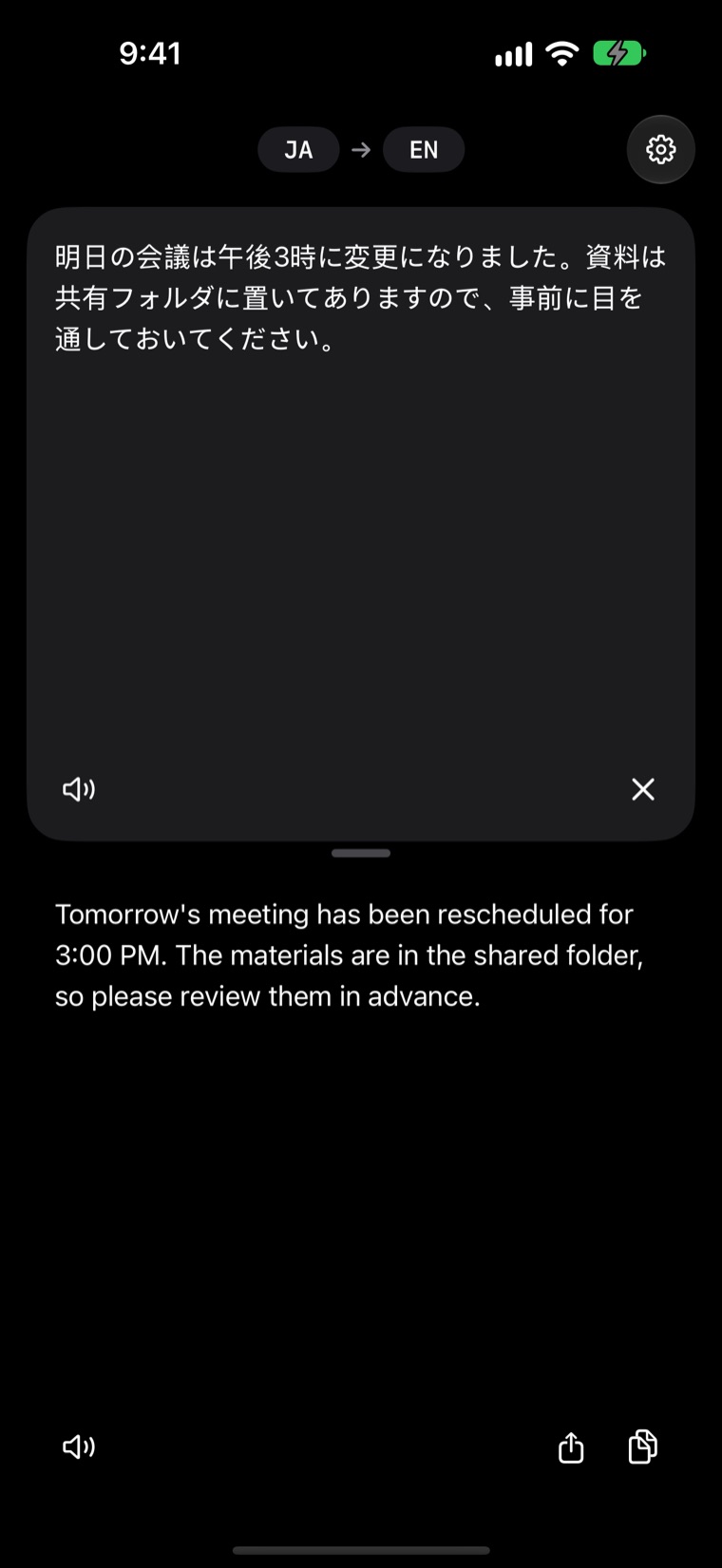
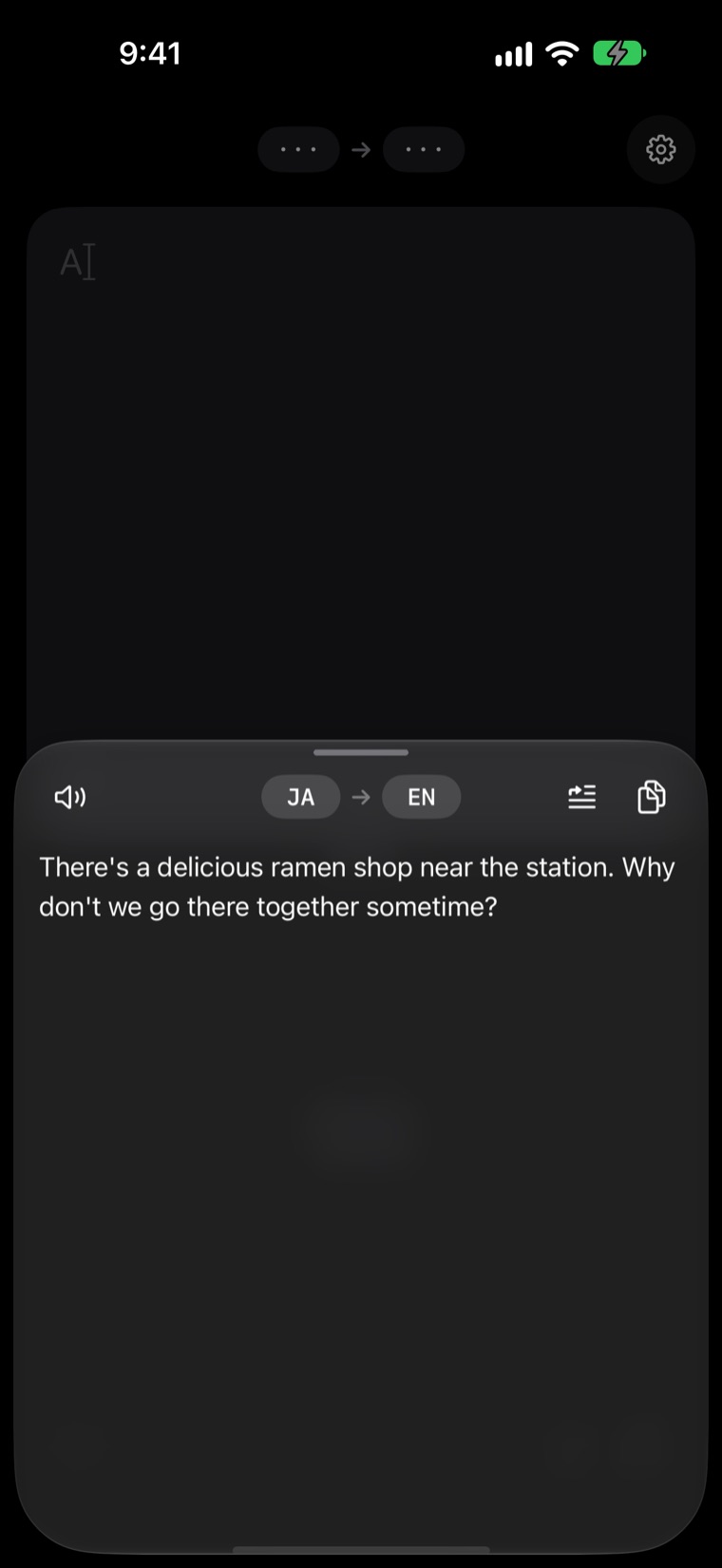
Translations shown are actual output from the model built into the app.
Features
Just what translation needs, quietly.
Paste or select. It figures out the direction for you and shows the translation as it forms.
Fully offline
Every translation runs on an AI model inside your device. The app makes no network requests at all, so it works anywhere.
From any app
Set it as your default translation app, and any text you select can be translated from “Translate” — no app switching.
53 languages
Translate between 53 languages, including Japanese, English, Simplified and Traditional Chinese, Korean, French, and German.
Built around your language
Text in your native language goes to the language you choose; everything else comes back to yours. Languages are detected automatically.
Watch it form
Translations appear as they are generated. Long passages are translated piece by piece, all the way through.
One-time purchase
Buy once and keep it. No subscription, no ads.
Setup
Set it once, use it in every app.
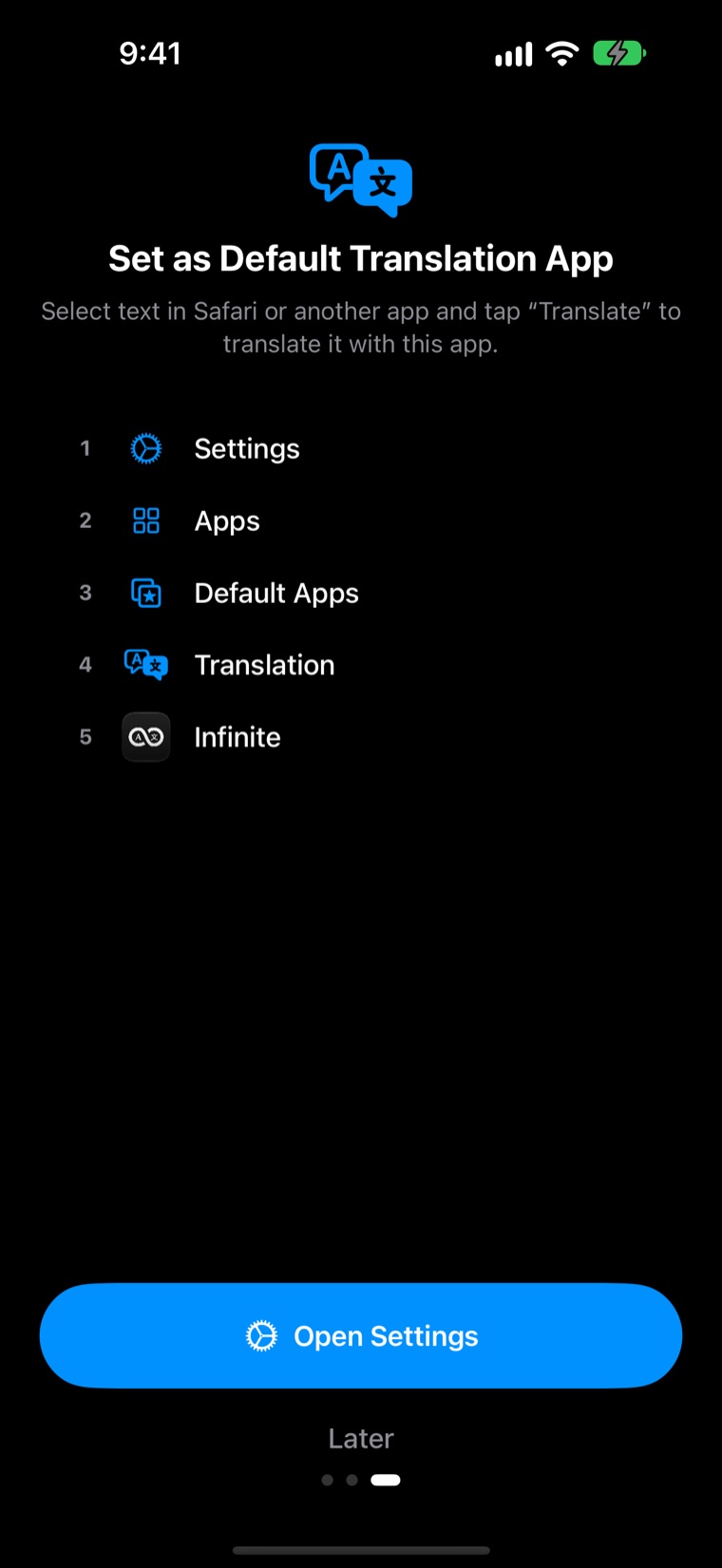
Make it your default translation app, and tapping “Translate” on text you select in Safari, Mail, Notes, or any other app opens Infinite Translation. The in-app tutorial takes you straight to the setting.
- SettingsOpen the app
- Apps
- Default Apps
- Translation
- InfiniteChoose it
Then just select text and tap “Translate”. In editable fields, you can replace the text with its translation.
Local-first
Everything stays on device.
No account, no cloud, no analytics. The text you translate is never sent anywhere, and the only thing saved is your language preference.
- iOS 18.4+
- iPhone & iPad
- 53
- Languages
- 0
- Network requests
- Once
- Purchase
Built with PLaMo — powered by PLaMo 3 Translate 0.8B from Preferred Networks.
Support
Support & contact
For questions or bug reports, contact us by email. We usually reply within 2–3 business days.
Select the address to open your email app. Please don’t include confidential text you translated.